Play Tower Rush Demo
Last updated: August 2026Try Tower Rush for free before playing with real money. The demo is for learning the interface with virtual credits: where the cashout control appears, how the floor build is shown, and how bonus floors are labelled. No account is needed for the demo on this page.
Why Try the Demo?
Learn the Game
Play rounds, trigger bonuses, and test cashout timing — all without spending anything.
Test Timing
Try early and later cashout points so the speed of the round is clear before a real stake is involved.
Experience Features
Discover bonus floors, multipliers, and special features without any financial risk.
Tower Rush Demo Review
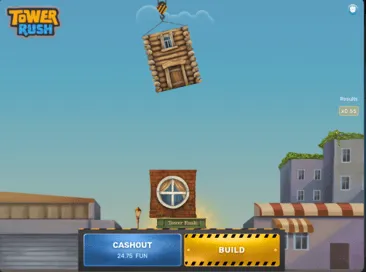
Key Features
- Complete game experience with virtual credits
- Auto-reset balance when reaching zero
- All bonus floors and multipliers available
- Mobile-friendly interface
- No registration required
Game Interface
- Top menu with game rules and settings
- Real-time multiplier display
- Live player statistics
- Customizable betting options
- Bet history tracking
How to Play the Demo
Start Playing
Click the "Play Demo" button to launch the game in your browser. No download required!
Use Virtual Credits
You'll receive 10,000 virtual credits to play with. Balance resets automatically when depleted.
Play & Learn
Experience all game features and practice your strategy in a risk-free environment.
Demo Run: What to Watch in a Round
A Tower Rush demo run is useful when you observe the interface instead of chasing a result.
Cashout Placement
During a demo round, watch where the cashout button appears and how quickly the decision repeats after each successful floor. Tower Rush is not a slow slot session; the choice to continue or stop comes back often. Use virtual credits to learn the rhythm before moving to an operator account.
Bonus Floor Labels
Look for Frozen Floor, Temple Floor and Triple Build labels in the game panel. The Tower Rush bonus guide explains the floor names, but the active game screen is where you confirm how your operator displays them.
Round End State
After a collapse, check what the interface shows: the lost stake, the last floor reached, round history and the next bet controls. This is the practical value of a Tower Rush demo run: you can see the failure state without paying for that lesson.
Do not read a short demo streak as a forecast. A sequence of wins or collapses in virtual-credit mode does not prove what will happen in real-money play. The demo is for learning controls, screen labels and pace.
Free Demo vs Operator Demo
Free demo on this guide
The free demo is the fastest way to inspect the basic game flow. It uses virtual credits, does not require a casino login, and is suitable for checking the build button, cashout timing, multiplier display and basic bonus-floor behaviour.
Use this mode when you are still asking simple questions: how fast does the round move, where is the information panel, and do the bonus floors make sense after a few practice rounds?
Operator demo in a casino lobby
An operator demo can show the exact lobby wrapper, local currency format, game-info panel and responsible gambling controls used by that casino. It may sit next to real-money mode, but the demo balance is still not withdrawable.
Before switching from demo to real money, check the operator's active rules, stake limits, payment methods, verification requirements and responsible gambling tools.
Demo Mode Controls
Bet Amount
Change the virtual stake and watch how the possible cashout value moves. This helps you understand exposure per round before any deposit is made.
Build or Stop
The core control is the decision to add another floor or cash out. A Tower Rush rules review explains the mechanics; the demo shows how quickly that decision appears on screen.
Game Info Panel
Open the information or rules panel if available. Check RTP, stake limits, bonus-floor descriptions and whether the operator lists any local restrictions.
Can Demo Predict Real-Money Outcomes?
No. Tower Rush demo mode can teach the interface, but it cannot predict a future real-money round. The useful lesson is procedural: how the tower builds, how the cashout control behaves, how fast a collapse ends the round, and where bonus floors appear in the display.
Real-money play adds variables that the demo does not decide for you: payment method, country availability, account verification, stake limits, bonus terms and your own session limits. Treat the demo as a rehearsal for reading the screen, not as a proof that a pattern is about to repeat.
If you use bonus funds at an operator, also read the contribution and wagering rules. A bonus balance can change what games count, how much can be staked and whether winnings are capped.
Mobile Demo
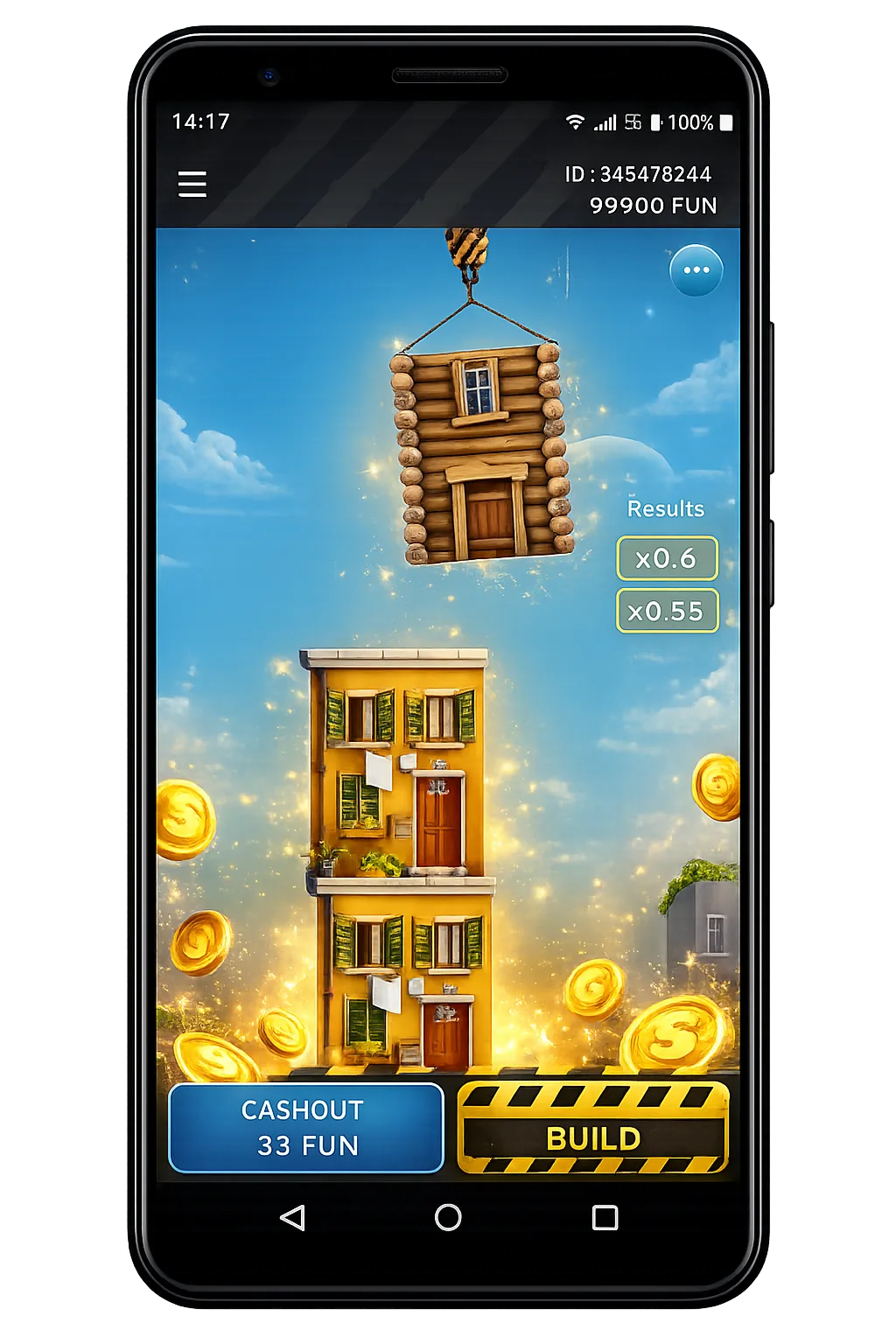
The mobile demo is important because Tower Rush decisions are compact on a phone screen. Check whether the cashout button is easy to reach, whether the multiplier and floor count are readable, and whether bonus-floor labels remain visible after the interface scales down.
For mobile-specific notes, use the Tower Rush app and mobile access guide. It separates browser play, PWA behaviour and operator app access instead of assuming one universal app for every player.
No Registration Demo Availability
A no registration demo is available on this page for learning the controls with virtual credits. Some casino lobbies also allow a Tower Rush demo mode before login, while others show demo access only after you enter the games area or create an account.
That difference is operator-specific. If a casino asks for registration before real-money play, expect KYC checks, age verification, country restrictions and payment rules to apply. A demo page does not replace those checks.
For practice, start with Tower Rush demo mode, then read Tower Rush rules and the Tower Rush bonus floors guide before using a real-money lobby.
Demo vs Real Money Mode
| Feature | Demo Mode | Real Money Mode |
|---|---|---|
| Initial Balance | 10,000 Virtual Credits | Your Deposit Amount |
| Registration | Not Required | Required |
| Winnings | Virtual Credits | Real Money (Learn about deposits) |
| Features | All Game Features | All Features + Live Chat |
| Balance Reset | Automatic | Manual Deposit |
Frequently Asked Questions
Ready to Play for Real?
Move to real-money play only after checking the operator's current rules, limits and bonus terms.